
Passport-Size Photo Prompt for ChatGPT 2026 (100% Verified)

0
25

Need a clean passport-size photo quickly? ChatGPT can help you create one in seconds with the right prompt.

Copy and paste this:

“Create a realistic passport-size photo of a [man/woman/girl], front-facing, neutral expression, plain white background, even lighting, formal attire, high resolution, 2×2 inch ratio, sharp focus on the face.”

This works well for both men and women. For girls or young women, change the description accordingly. The result is a clear, professional-looking image suitable for official forms and applications.

You don’t need any design skills. Paste the prompt, generate the image, and download it. You can also adjust small details like hair style, clothing color, or age to match your needs.

Try this simple method the next time you need a passport-size photo. It’s fast, free, and gives you a neat result without visiting a studio.

1. 3×3 Passport-Size Photo Collage of a Man in a Black Suit and Tie
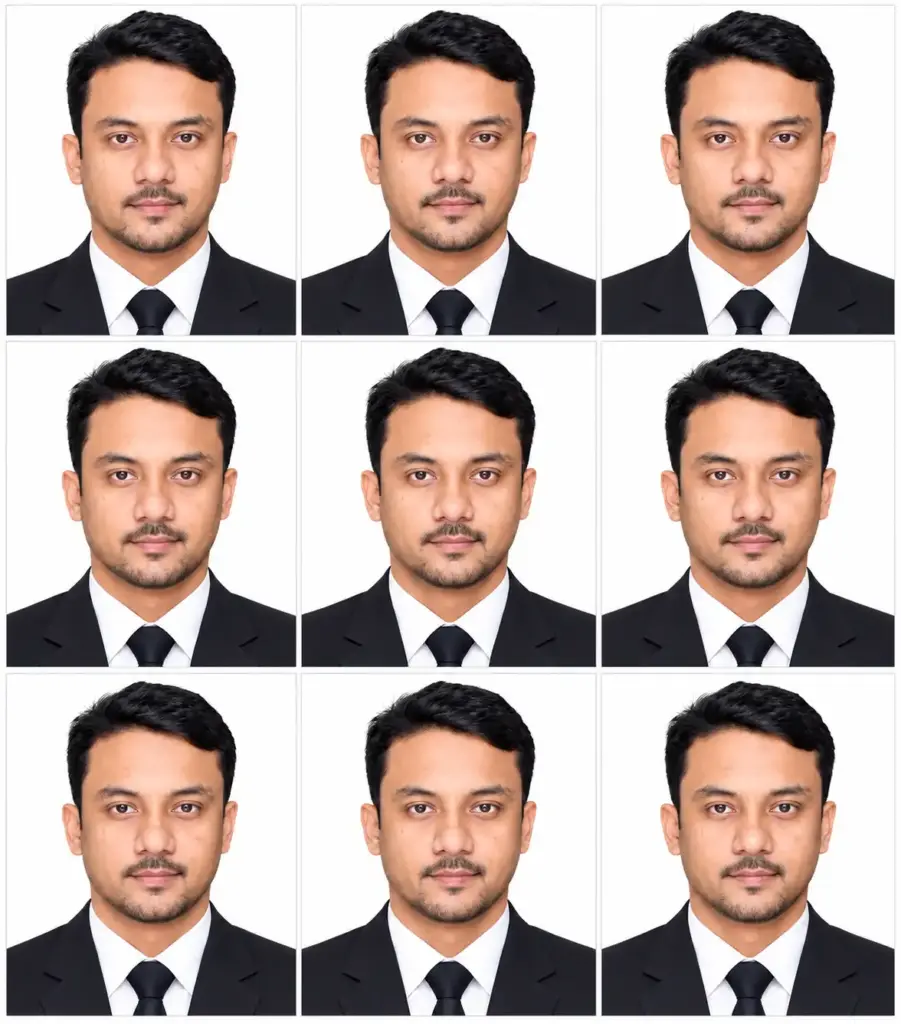
3×3 Passport-Size Photo Collage of a Man in a Black Suit and Tie
Prompt
Create a single ultra-realistic, professional biometric passport-size portrait using the attached person's photograph as the identity reference. Preserve the person's original facial identity as accurately as possible, including facial structure, face shape, skin tone, age, hairstyle, hairline, and natural proportions. Do not change their distinctive facial features or apply artificial beautification. Pose the person facing directly toward the camera with a neutral, natural expression, eyes looking straight ahead, lips gently closed, head straight, and shoulders level. Use a centered head-and-shoulders composition with appropriate headroom and balanced framing. Dress the person in a classic, well-fitted dark formal suit, a clean white dress shirt, and a simple dark tie. Ensure the clothing looks realistic, neat, and professional. Use a pure white, evenly illuminated background with soft, uniform, shadowless studio lighting. Maintain natural skin tones, realistic skin texture, accurate facial details, sharp focus, and balanced exposure. Image specifications: Vertical 35 × 45 mm passport photograph format, 7:9 aspect ratio, centered composition, standard passport-style head positioning, appropriate headroom, and clean professional cropping. Output requirements: Generate exactly one photorealistic portrait only. No collage, no grid, no multiple versions, no text, no watermark, no border, no decorative elements, and no extra margins. Final result: A clean, natural-looking, professional passport-style photograph with faithful facial resemblance to the attached reference image. Important: Prioritize identity preservation and realistic photographic appearance. Follow the applicable passport authority's specific photo requirements if the portrait is intended for official submission.

2. Professional Studio Portrait of a Young Man in a White Shirt with a Pink Background
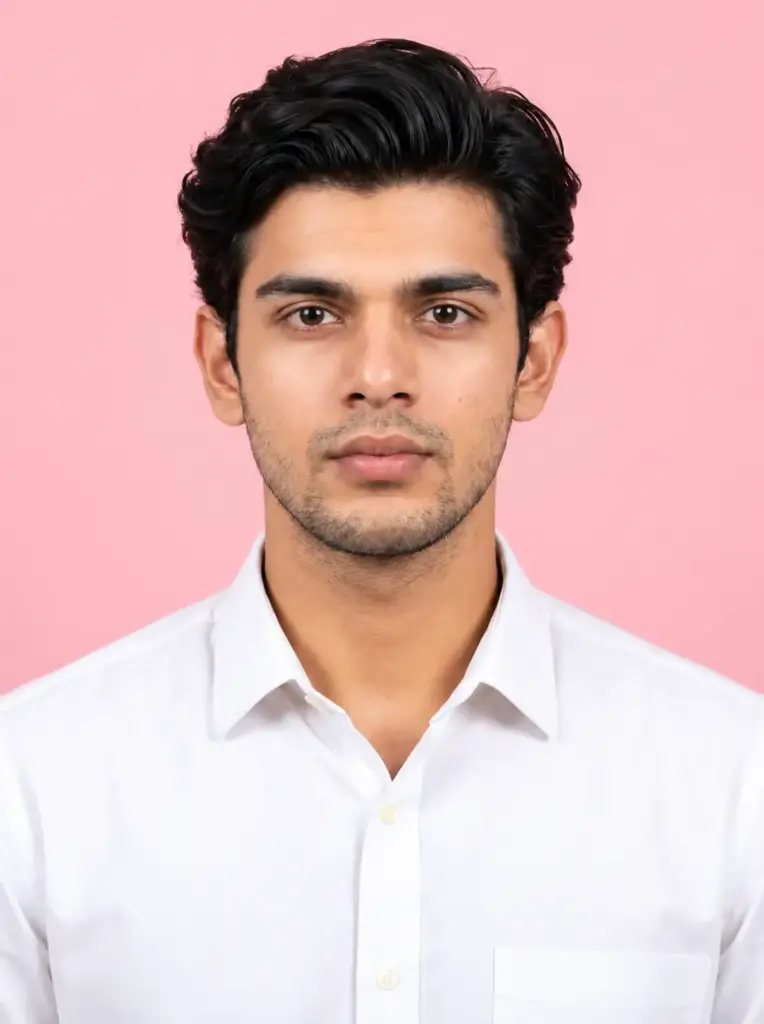
Professional Studio Portrait of a Young Man in a White Shirt with a Pink Background
Prompt
Create a high-resolution, photorealistic passport-style portrait using the uploaded reference photo as the sole identity reference. Preserve the person's original identity and natural appearance as faithfully as possible, including facial structure, facial features, face shape, hairstyle, hairline, skin tone, beard or mustache, age, body proportions, and distinctive characteristics. Do not beautify, reshape, stylize, or regenerate the person's appearance unnecessarily. Apply only subtle, natural professional photo retouching, including balanced exposure, improved sharpness, gentle lighting correction, and minimal skin cleanup while preserving realistic skin texture, pores, and natural details. Dress the subject in a plain, clean white collared shirt with no patterns, logos, jewelry, or accessories. Position the subject directly facing the camera with the head straight, shoulders level, eyes looking directly into the lens, and a neutral, relaxed expression with lips naturally closed. Use proper passport-style framing with the head and shoulders centered, appropriate headroom, natural proportions, and sufficient space around the head. Keep the face clearly visible and sharply focused. Background: A plain, soft pink studio background with smooth, uniform coloring and no objects, textures, patterns, or decorations. Lighting: Soft, even professional studio lighting with balanced exposure, natural skin tones, gentle shadows, and clear facial details. Avoid harsh highlights, dramatic shadows, excessive smoothing, or artificial effects. Image specifications: Vertical 3:4 aspect ratio, high resolution, crisp details, realistic colors, clean composition, and professional photographic quality. Output exactly one portrait image with no grid, collage, text, watermark, border, or decorative elements. Important: Prioritize maximum facial identity preservation and natural realism. Exact identity preservation cannot be guaranteed by image generation. The soft pink background and white shirt may not meet every official passport authority's requirements, so verify the applicable document photo specifications before submission.

3. Smiling Bearded Man in a Black Suit and Blue Tie on a Blue Background
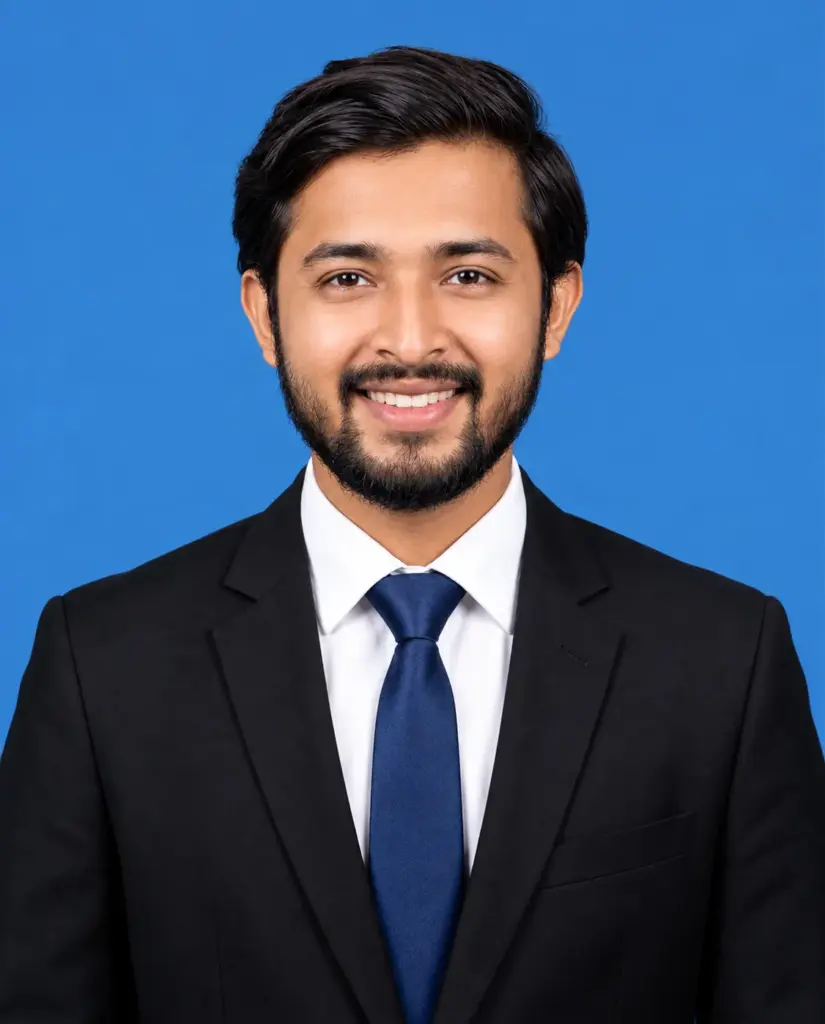
Smiling Bearded Man in a Black Suit and Blue Tie on a Blue Background
Prompt
Create an ultra-realistic, professional passport-size ID portrait using my uploaded reference photo as the identity reference. Preserve my recognizable facial identity and natural facial structure as closely as possible, including my face shape, eyes, nose, lips, skin tone, age, and distinctive features. Do not reshape or artificially regenerate my face. Appearance and grooming: Give me a clean-shaven appearance by naturally removing the beard and mustache. Neatly straighten and style my hair while maintaining my original hairstyle, hairline, and natural appearance as closely as possible. Brighten my face with subtle, realistic professional lighting and gentle color correction while preserving natural skin texture and realistic skin tone. Outfit: Dress me in a clean, formal white collared shirt with a matching solid-color tie in a single color other than white, such as navy blue. The tie should look elegant and professional, with a subtle modern branded-fashion aesthetic, but without any visible logos, patterns, lettering, or text. Expression and pose: Face the camera directly with a neutral, relaxed, closed-lip expression. Keep the head straight, eyes looking directly into the camera, both ears fully visible, and shoulders squarely included. Maintain natural posture and realistic body proportions. Background: Plain, solid pure white studio background with uniform lighting and no visible shadows, objects, textures, or decorations. Lighting and quality: Professional studio lighting, evenly illuminated face, balanced exposure, natural skin tones, crisp facial details, realistic skin texture, sharp focus, and high-resolution photographic quality. Composition: Vertical passport-style portrait with a 45 mm × 55 mm target proportion (approximately 9:11), centered head-and-shoulders framing, appropriate headroom, both ears visible, and shoulders included. Output: One single, photorealistic portrait, cleanly cropped, without borders, watermarks, text, collages, or extra margins. Important: Prioritize maximum facial resemblance to the uploaded reference photo. Exact identity preservation cannot be guaranteed. Keep all modifications limited to grooming, clothing, lighting, and professional photographic presentation. Verify the relevant official ID photo requirements before submission.

4. Professional Male and Female Passport-Size Portraits in Formal Business Suits on a White Background
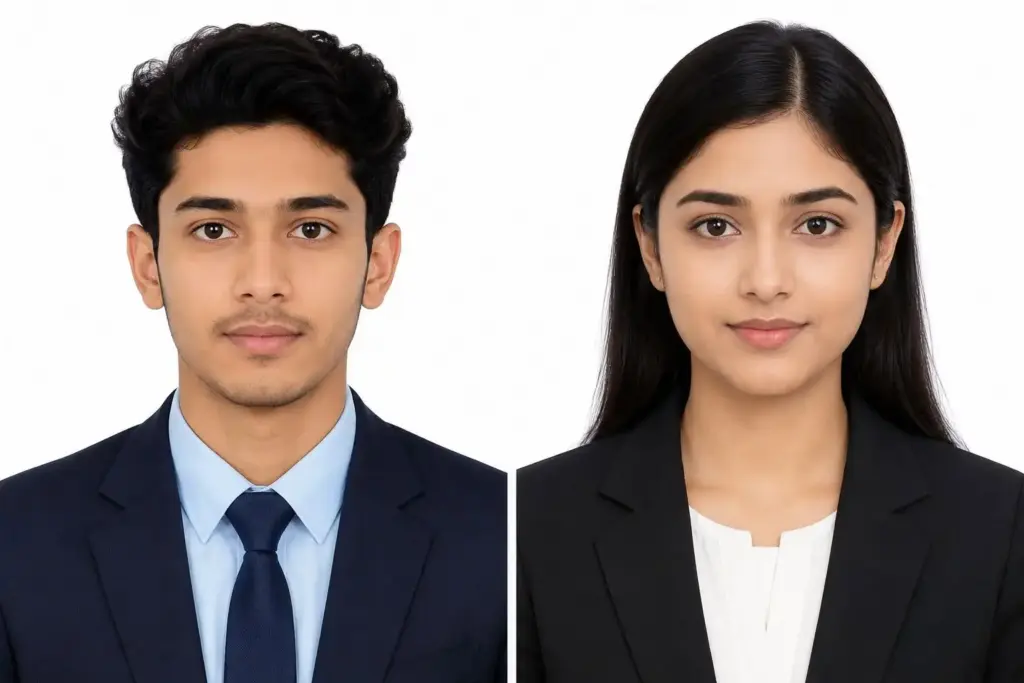
Professional Male and Female Passport-Size Portraits in Formal Business Suits on a White Background
Prompt
– Preserve the person's identity exactly as in the reference image. – Do NOT change the face, facial structure, eyes, nose, lips, ears, skin tone, hairstyle, age, expression, or any unique facial features. – The face must be instantly recognizable as the same person. – No beautification, face reshaping, skin smoothing, AI face enhancement, gender change, age change, or artistic stylization. Photo Specifications: – Bangladesh passport photo standard. – Final aspect ratio: 35mm × 45mm (7:9). – Head centered and facing directly toward the camera. – Neutral facial expression with both eyes open and mouth closed. – Looking straight into the camera. – Head occupies approximately 70–80% of the image height. – Full head and top of shoulders visible. – Even spacing around the head. – Plain white (#FFFFFF) background with no shadows, gradients, patterns, or objects. Clothing: – Replace current clothing with a clean, formal solid-color dress shirt (white, light blue, or navy) and a simple professional blazer if appropriate. – No logos, patterns, graphics, or accessories unless they appear in the reference and are required. – Neat professional appearance. Lighting & Quality: – Soft, even studio lighting. – Natural skin tones. – Sharp focus on the face. – High-resolution DSLR studio quality. – No beauty filters. – No excessive contrast. – No artificial sharpening. – No watermark. – No text. – No border. – No cropping of the head or shoulders. Output a realistic official passport-style photo suitable for Bangladesh passport and official government document applications while maintaining an exact facial match to the uploaded reference image.

5. Passport Size Photo Collage of a Professional Woman Wearing Glasses in a Black Suit and Tie on a Cream Background
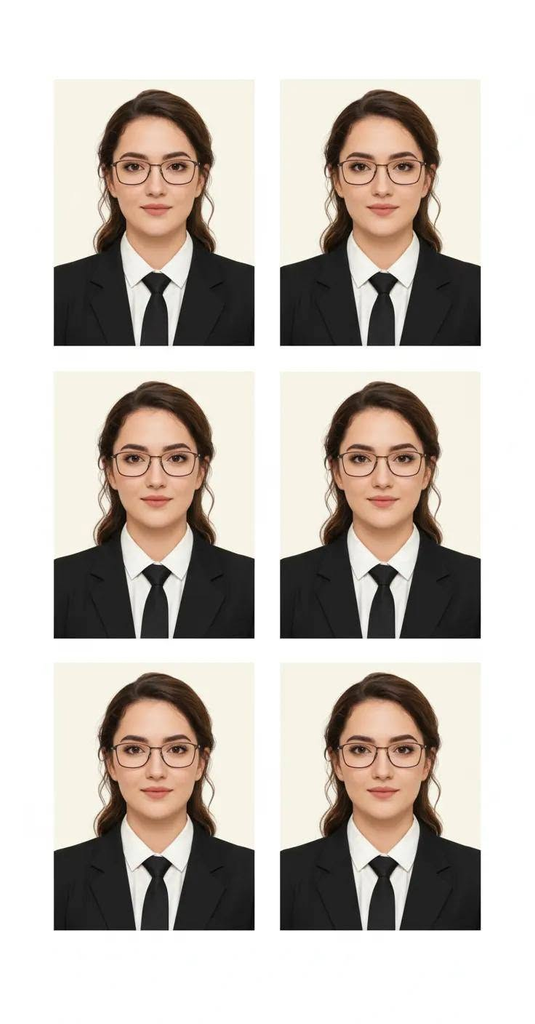
Prompt
Create an ultra-realistic, high-resolution passport-size portrait of me using the uploaded reference photo as the sole identity reference. Preserve my original facial identity as accurately as possible, including my facial structure, face shape, eyes, nose, lips, skin tone, hairstyle, hairline, age, and natural proportions. Do not reshape, beautify, or stylize my face. Style: Professional studio portrait with a clean, sophisticated appearance, suitable for formal ID-style photography. Outfit: A smart black casual suit paired with a crisp white collared shirt and a matching elegant tie. Add modern, stylish branded-design eyeglasses with realistic frames that complement my face. Keep the glasses natural and properly positioned without hiding my eyes or distorting my facial features. No visible brand logos or text. Expression and Pose: A subtle, natural closed-lip smile, looking directly into the camera. Keep my head straight, shoulders level, and posture upright. Both ears should be visible as much as naturally possible without distorting the face, and both shoulders should be included in the frame. Background: Plain, clean white studio background with soft, even lighting and minimal shadows. Photography: Professional DSLR portrait photography, sharp facial focus, realistic skin texture, natural skin tones, balanced exposure, accurate colors, and refined professional retouching. Composition: Centered, front-facing passport-style head-and-shoulders portrait with appropriate headroom and balanced framing. Output: One single, photorealistic portrait with no watermark, no text, no border, no collage, and no extra decorative elements. Important: Prioritize maximum facial resemblance to the uploaded reference photo. Do not intentionally change my identity or natural facial characteristics. The final image should look like a genuine professional studio photograph.

FAQs

1. What is a Passport-Size Photo Prompt?

A Passport-Size Photo Prompt is a text instruction used with an AI image generator to create a passport-style photograph. It describes the background, clothing, lighting, facial expression, and framing to help create a clean and professional ID-style photo.

2. Can I create a passport-size photo using AI?

Yes, you can use AI image generators to create passport-style photos from a text prompt or a reference image. For the best results, use a clear front-facing photo and provide specific instructions about the required photo size, background, and appearance.

3. How can I keep my original face in an AI passport photo?

Use a clear reference photo and include instructions such as “Preserve my exact facial identity, natural skin tone, facial features, and hairstyle.” However, AI may still change some facial details, so always check the final image carefully.

4. What background is best for a passport-size photo?

A plain white or light-colored background is commonly used for passport-style photographs. However, the correct background depends on the passport authority’s requirements. Always check the official photo guidelines before preparing your final image.

5. What should I wear for an AI passport-size photo?

Choose neat, simple clothing that contrasts with the background. A formal shirt, blazer, or modest professional outfit can create a clean appearance. Avoid complicated patterns and accessories that may cover your face or interfere with the required photo guidelines.

6. What is the correct size for a passport-size photo?

Passport photo dimensions vary by country and document type. For example, some applications require 2 × 2 inches, while others require 35 × 45 mm. Mention your required dimensions in the prompt, then verify the actual image size and print specifications separately.

LEAVE A REPLY

Please enter your comment!
Please enter your name here